
 File Manager
"Is File Manager working?"
File Manager is working normally
All systems are operational. File Manager is accessible and functioning properly.
Status Chart
This chart displays the hourly status data for over a 24-hour periodTimeline
A chronological log of system events, performance fluctuations, and user reports. Each entry is tagged with time, status, affected regions, and resolution details for comprehensive tracking and analysis.
Service Status: All systems operational and responding normally
Performance Trend (24h): Service stability is degrading
Community Reports: No issues reported by users in the last 24 hours
Global Availability: Working normally worldwide
What issues are you experiencing?
Please choose the type of issue you're having with the Android app.
Reporting chart
Recent reports
No recent votes yet
File Manager
ProductivityAbout this app
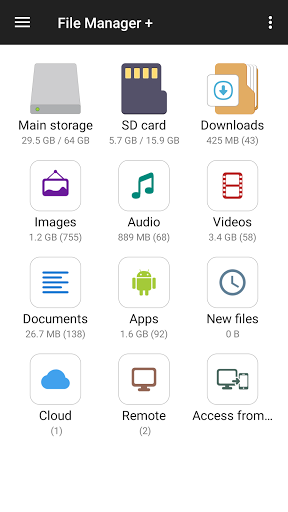
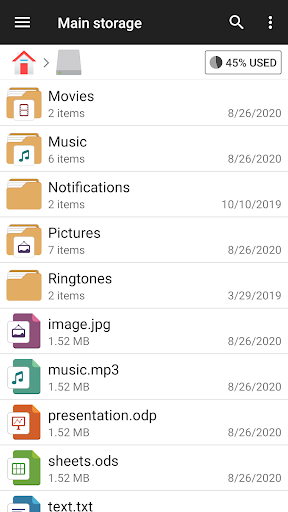
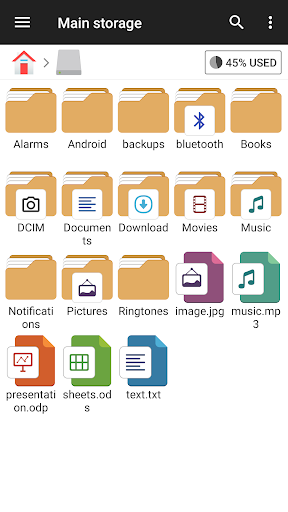
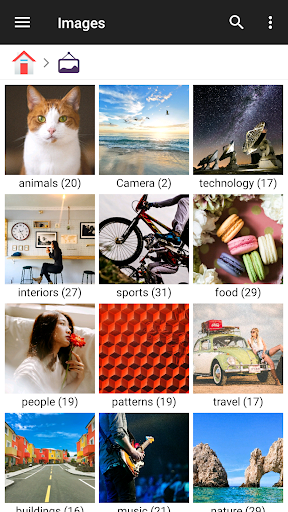
File Manager + is an easy and powerful file explorer for Android devices. It’s free, fast and full-featured. Because of its simple UI, it’s extremely easy to use. You can easily manage storages on your device, NAS(Network-attached storage), and cloud storages. What’s more, you can find how many files & apps you have on your device at a glance...
App Screenshots


User Reviews from Store
Showing 2 of 10 reviews (Page 2 of 2)

Kelvin Krastel
Oct 27, 2025
Does it all.

T
Oct 27, 2025
in the picture it shows where you can put files and pictures on the SD card a one night downloaded the app and look I could not find anywhere that said SD card that is extremely annoying because I put a lot of things on my SD card and I cannot find an app that seems to have one which is ignorant
Comments & Discussion
0 Comments
Be the first to comment on File Manager status
Share your experience with the community