
 Storage Analyzer & Disk Usage
"Is Storage Analyzer & Disk Usage working?"
Storage Analyzer & Disk Usage is working normally
All systems are operational. Storage Analyzer & Disk Usage is accessible and functioning properly.
Status Chart
This chart displays the hourly status data for over a 24-hour periodTimeline
A chronological log of system events, performance fluctuations, and user reports. Each entry is tagged with time, status, affected regions, and resolution details for comprehensive tracking and analysis.
Service Status: All systems operational and responding normally
Performance Trend (24h): Service stability is degrading
Community Reports: No issues reported by users in the last 24 hours
Global Availability: Working normally worldwide
What issues are you experiencing?
Please choose the type of issue you're having with the Android app.
Reporting chart
Recent reports
No recent votes yet
Storage Analyzer & Disk Usage
ProductivityAbout this app
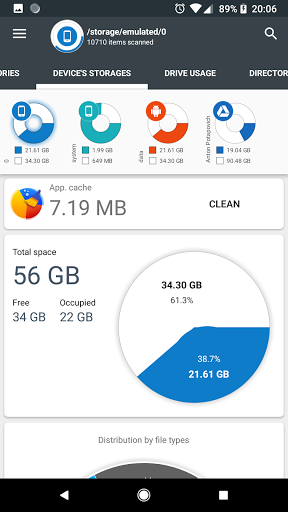
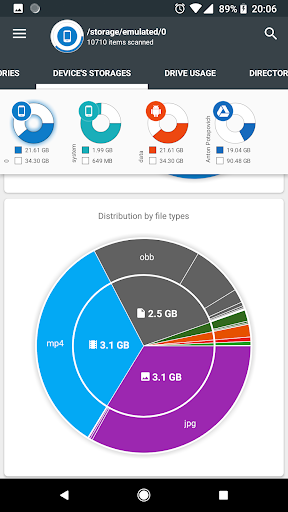
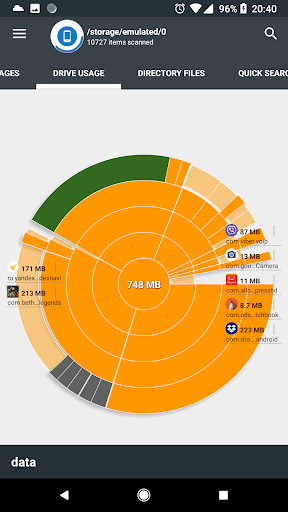
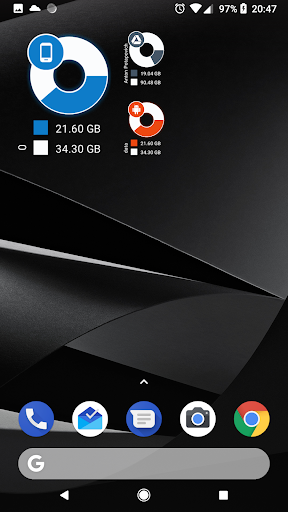
Storage Analyzer & Disk Usage displays information on sdcard, usb devices, external and internal storage in a simple and clear graphical form (infographics).
Accessing device storage and USB drives
Application reads from the device storage list of files and file-specific data (name, path, size, last modified date, file preview) in order to build d...
Accessing device storage and USB drives
Application reads from the device storage list of files and file-specific data (name, path, size, last modified date, file preview) in order to build d...
App Screenshots
User Reviews from Store
Showing 8 of 33 reviews (Page 3 of 5)

Subhasish De
Oct 23, 2025
To be honest, one of the best apps for cleaning up storages. A must download for each phone.

Dhaval
Oct 23, 2025
thanks for 1Gb plus cleaning I needed it for phone

Siam Noor
Oct 23, 2025
good

Nivetha P
Oct 16, 2025
worst

Ramagoud Damarancha
Oct 16, 2025
good

Rajani Koutla
Oct 15, 2025
for no ads disturbing

KS
Oct 15, 2025
cool

Abdul Gani
Oct 14, 2025
you didn't fixed it 😞. main issues :- 1. When i press back button in file manager tab it's exit app rather than folder back. 2. Android/data folder isn't available. 3. Pull down to refresh should add in file manager tab. 4. Sometimes multiple folders doesn't delete and does show 0 B size 5. I can't move or copy file in file manager.
Comments & Discussion
0 Comments
Be the first to comment on Storage Analyzer & Disk Usage status
Share your experience with the community