Warning: file_put_contents(/var/www/thisisdown.com/public_html/logs/breadcrumb_debug.log): Failed to open stream: No such file or directory in /home/thisisdown.com/public_html/templates/breadcrumbs.php on line 185
Warning: file_put_contents(/var/www/thisisdown.com/public_html/logs/breadcrumb_debug.log): Failed to open stream: No such file or directory in /home/thisisdown.com/public_html/templates/breadcrumbs.php on line 192
Warning: file_put_contents(/var/www/thisisdown.com/public_html/logs/breadcrumb_debug.log): Failed to open stream: No such file or directory in /home/thisisdown.com/public_html/templates/breadcrumbs.php on line 198
Samsung Internet Browser
"Is Samsung Internet Browser working?"
Samsung Internet Browser is working normally
All systems are operational. Samsung Internet Browser is accessible and functioning properly.
Status Chart
This chart displays the hourly status data for over a 24-hour period
Now
24h ago
Operational
Partially working
Major outage
Not working
Recovering
Timeline
A chronological log of system events, performance fluctuations, and user reports. Each entry is tagged with time, status, affected regions, and resolution details for comprehensive tracking and analysis.
Service Status: All systems operational and responding normally
Performance Trend (24h): Service stability is degrading
Community Reports: No issues reported by users in the last 24 hours
Global Availability: Working normally worldwide
What issues are you experiencing?
Please choose the type of issue you're having with the Android app.
Reporting chart
This graph shows problem reports in the last 24 hours compared to typical patterns. The dashed line shows historical baseline when available.
Loading...
Vote statistics being updated...
No votes in the last 24 hours
Chart will appear when users start reporting
Recent reports
Every user report, from every country, visualized in real-time. Reports are displayed in descending chronological order (newest first) to ensure the most recent issues are immediately visible and no problem goes unnoticed.
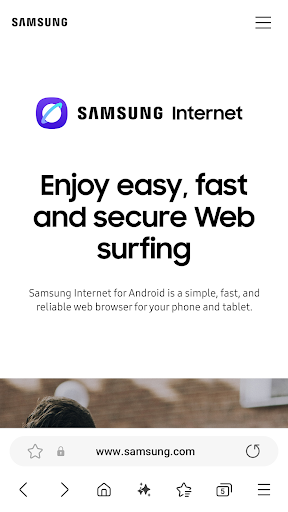
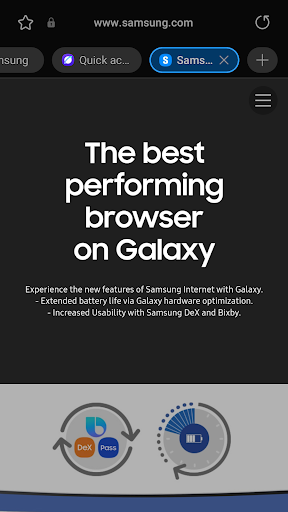
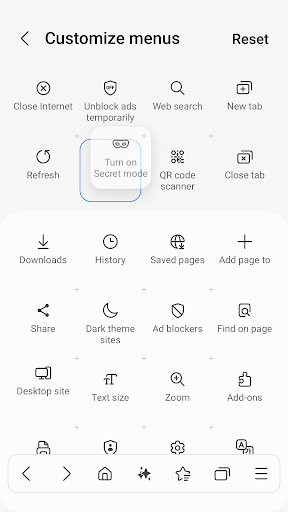
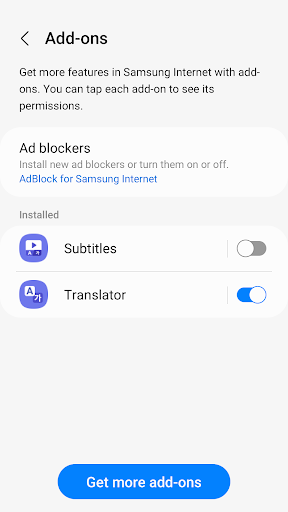
Samsung Internet provides the best web browsing experience for you with Video Assistant, Dark Mode, Customize menu, Extensions such as Translator, and by protecting your privacy with Secret mode, Smart Anti-Tracking and Smart Protection.
Samsung Internet with tiles and complication feature is available on Galaxy Watch devices that support Wear OS....
Samsung Internet provides the best web browsing experience for you with Video Assistant, Dark Mode, Customize menu, Extensions such as Translator, and by protecting your privacy with Secret mode, Smart Anti-Tracking and Smart Protection.
Samsung Internet with tiles and complication feature is available on Galaxy Watch devices that support Wear OS. (※ Galaxy Watch4 series and models released later)
■ New Features for you
* Recommendation to close old tabs
If you have a large number of tabs open in your browser, a list of older, less-used tabs you might want to close is provided via the “Tab manager” menu
■ Security & Privacy
Samsung Internet helps you protect your security and privacy while browsing the Internet.
* Smart Anti-Tracking
Intelligently identify domains which have cross-site tracking ability and block storage (cookie) access.
* Protected Browsing
We will warn you before you can view known malicious sites to prevent you from visiting web sites which may try to steal your data.
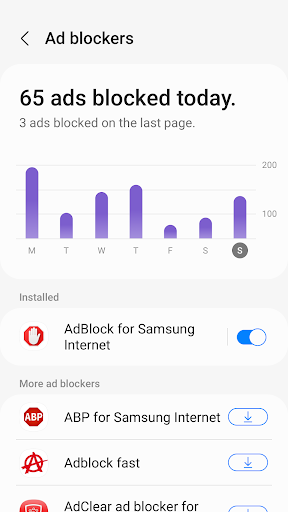
* Content Blockers
Samsung Internet for Android allows 3rd party apps to provide filters for content blocking, making browsing safer and more streamlined.
The following permissions are required for the app service.
For optional permissions, the default functionality of the service is turned on, but not allowed.
[Required permissions]
none
[Optional permissions]
Location: Used to provide location-based content requested by the user or location information requested by the webpage in use
Camera: Used to provide webpage shooting function and QR code shooting function
Microphone: Used to provide recording function on webpage
Phone: (Android 11) Requires access permission to check the mobile phone information in order to provide country-specific feature optimization
Nearby devices: (Android 12 or higher) To find and connect to nearby Bluetooth devices when requested by the website
Music and audio: (Android 13 or higher) To upload audio files on webpages
Photos and videos: (Android 13 or higher) To upload photos and videos on webpages
Files and media: (Android 12) To upload files stored in storage spaces on webpages
Storage: (Android 11 or lower) To upload files stored in storage spaces on webpages
Notifications: (Android 13 or higher) To display the download progress and website notifications
App Screenshots
User Reviews from Store
Showing 8 of 20 reviews
(Page 2 of 3)
A
AKIS
Oct 18, 2025
Puts Chrome, Safari on shame. Fast, intuitive and feature complete browser. The only browser which have truly dark mode, converts all white on sites to pitch black AMOLED level. I have tested on low end throughout high end Galaxy Ultra, Tabs and Xiaomi Poco F5, Quest 3 and Lenovo Pro i7. Always faster than Chrome or default browser. Faster when you have 20 tabs and change between them. From US tech media is an underrated app, don't let them fool you.
F
Feroz shah
Oct 18, 2025
ناجوړه ده
A
Anish bhujel
Oct 11, 2025
this is a very nice aap
N
Neil Black
Oct 11, 2025
why can't you not have a dark mode. especially at night sites I use are light they are to bright even when turning down the brightness. A dark mode would be very useful. Firefox has a add-on for complete dark mode in the browser.
R
Russell Hunter
Oct 11, 2025
great
B
Beatriz Gascon
Oct 11, 2025
slow response slow signal of wifi.
L
Lou Burgess
Oct 11, 2025
Worst ever browser since aol
D
Diaa Boubou
Oct 11, 2025
it's so cheaply designed
Comments & Discussion
0 Comments
Be the first to comment on Samsung Internet Browser status
Comments & Discussion
0 Comments
Be the first to comment on Samsung Internet Browser status
Share your experience with the community