
 Phone Mirror - Android to PC
"Is Phone Mirror - Android to PC working?"
Phone Mirror - Android to PC is working normally
All systems are operational. Phone Mirror - Android to PC is accessible and functioning properly.
Status Chart
This chart displays the hourly status data for over a 24-hour periodTimeline
A chronological log of system events, performance fluctuations, and user reports. Each entry is tagged with time, status, affected regions, and resolution details for comprehensive tracking and analysis.
Service Status: All systems operational and responding normally
Performance Trend (24h): Service stability is degrading
Community Reports: No issues reported by users in the last 24 hours
Global Availability: Working normally worldwide
What issues are you experiencing?
Please choose the type of issue you're having with the Android app.
Reporting chart
Recent reports
No recent votes yet
Phone Mirror - Android to PC
ToolsAbout this app
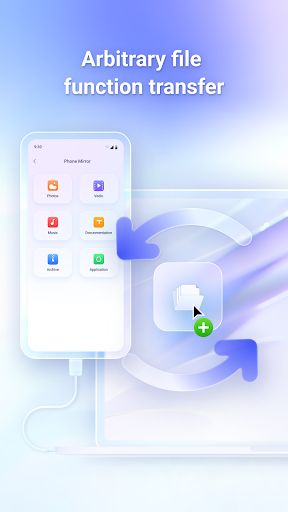
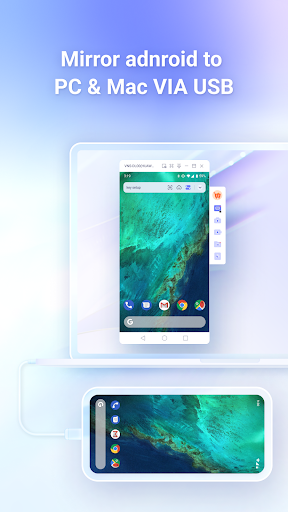
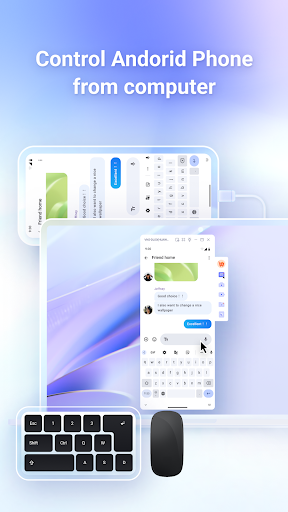
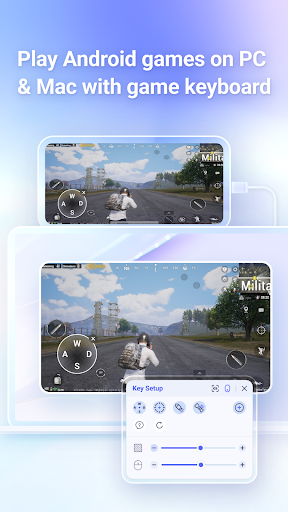
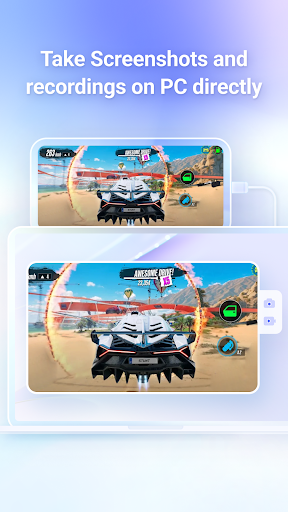
Phone Mirror is a screen mirroring application that allows you to project your Android screen onto a Windows or Mac computer and control your mobile device directly from the PC. You can also use a keyboard and mouse to play mobile games, and transfer files between your PC and mobile device seamlessly. This tool enables a fast, lag-free connection b...
App Screenshots
User Reviews from Store
Showing 8 of 10 reviews (Page 1 of 2)

عثمان أحمد حاتم
Sep 30, 2025
ubu kuuog ;lbbi,hh ibb';oohb

Abdulrahman Shaikh
Sep 16, 2025
doesn't work

Hamzaki Mahamed
Jul 8, 2025
good

Toma Buba
Jun 9, 2025
Misleading

Asipita Adam
May 20, 2025
nice

Freya Loved
Apr 10, 2025
so far works great

HAZEM MOHAMED
Mar 2, 2025
It is not the best application because it hangs and is slow

Craig x
Sep 27, 2024
It works, but... The required desktop component is not free, it's $40 USD per year. The trial version gives 10 minutes per day free access, which was enough for me to successfully interact with my old Note 8 (via USB) which has a very busted screen. Bring down the subscription for individual users to $20 and I'd be more likely to go for it. For now, I'll keep trying other apps in search of a functional free one.
Explore Other Apps
Check status of other Android apps and games
Deutsche GigaNetz GmbH
Deutsche GigaNetz is a German telecommunications company that specializes in building and operating...
Half-Life 2: Lost Coast
Originally planned as a section of the Highway 17 chapter of Half-Life 2, Lost Coast is a playable...

123NET
123NET is a Michigan-based telecommunications company that provides a wide range of services,...

Thinkorswim
Thinkorswim is a sophisticated trading and investment platform designed to provide individuals and...

Royal Air Maroc
Royal Air Maroc (RAM), the national carrier of Morocco, was established in 1953 and is wholly owned...
Google
© 2025 - Privacy - Terms

No Man's Sky
No Man's Sky is a game about exploration and survival in an infinite procedurally generated...

Tom Clancy’s The Division
After a deadly pandemic sweeps through New York, it's up to Agents to save what remains. Complete...

DeviantArt
DeviantArt is a large online community and social network for artists and art enthusiasts. Its...

WiLine
Wiline.com is the online presence for WiLine Networks, a managed service provider that specializes...

Counter-Strike
Play the world's number 1 online action game. Engage in an incredibly realistic brand of terrorist...

Europa Universalis V
Use war, trade or diplomacy to satisfy your grandest ambitions and dominate five centuries of...

Temu
Temu.com is an emerging online shopping platform that offers a wide range of affordable products,...

Robinhood
Robinhood.com is the online platform for Robinhood Markets, the financial services company that...

Little Nightmares III
Little Nightmares III is an atmospheric adventure game in which you follow the journey of Low and...
Comments & Discussion
0 Comments
Be the first to comment on Phone Mirror - Android to PC status
Share your experience with the community