Warning: file_put_contents(/var/www/thisisdown.com/public_html/logs/breadcrumb_debug.log): Failed to open stream: No such file or directory in /home/thisisdown.com/public_html/templates/breadcrumbs.php on line 185
Warning: file_put_contents(/var/www/thisisdown.com/public_html/logs/breadcrumb_debug.log): Failed to open stream: No such file or directory in /home/thisisdown.com/public_html/templates/breadcrumbs.php on line 192
Warning: file_put_contents(/var/www/thisisdown.com/public_html/logs/breadcrumb_debug.log): Failed to open stream: No such file or directory in /home/thisisdown.com/public_html/templates/breadcrumbs.php on line 198
Adventure Sync - Pokewalk
"Is Adventure Sync - Pokewalk working?"
Adventure Sync - Pokewalk is working normally
All systems are operational. Adventure Sync - Pokewalk is accessible and functioning properly.
Status Chart
This chart displays the hourly status data for over a 24-hour period
Now
24h ago
Operational
Partially working
Major outage
Not working
Recovering
Timeline
A chronological log of system events, performance fluctuations, and user reports. Each entry is tagged with time, status, affected regions, and resolution details for comprehensive tracking and analysis.
Service Status: All systems operational and responding normally
Performance Trend (24h): Service stability is degrading
Community Reports: No issues reported by users in the last 24 hours
Global Availability: Working normally worldwide
What issues are you experiencing?
Please choose the type of issue you're having with the Android app.
Reporting chart
This graph shows problem reports in the last 24 hours compared to typical patterns. The dashed line shows historical baseline when available.
Loading...
Vote statistics being updated...
No votes in the last 24 hours
Chart will appear when users start reporting
Recent reports
Every user report, from every country, visualized in real-time. Reports are displayed in descending chronological order (newest first) to ensure the most recent issues are immediately visible and no problem goes unnoticed.
No need to shake your phone!
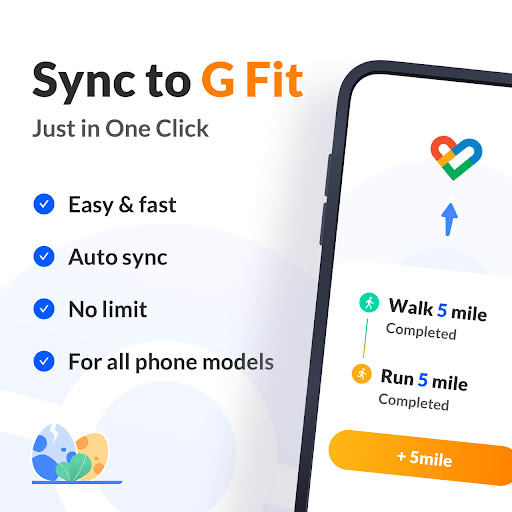
Try Adventure Sync to automatically add fitness data to Google Fit! Just set your target steps/distance and real data will be added to your activity log with one click. All features are free!
Why choose Adventure Sync?
Β· Free & Easy to Use
Β· Fast & Auto Sync to Google Fit
Β· No sync cap
Β· Sync in Background
Β· Check...
No need to shake your phone!
Try Adventure Sync to automatically add fitness data to Google Fit! Just set your target steps/distance and real data will be added to your activity log with one click. All features are free!
Why choose Adventure Sync?
Β· Free & Easy to Use
Β· Fast & Auto Sync to Google Fit
Β· No sync cap
Β· Sync in Background
Β· Check Real-time Progress & Get End Reminder
Β· Practical app debugging tool
What can I do with Adventure Sync?
ποΈ Sync fitness data to Google Fit
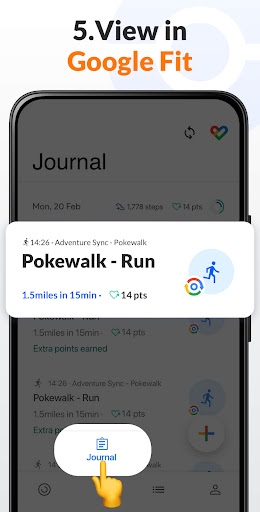
Forgot to bring your phone while exercising? Don't worry! Adventure Sync can help you with data sync. All you need to do is set your target distance or steps, this fake sync app will automatically add data to Google Fit. Freely fake sync data to fitness apps without actually walking, running, or shaking your phone!
π§ Powerful debugger
Debug fitness apps without shaking test phones. If you want to test out fitness apps, try Adventure Sync. This app can fake sync steps, distance and duration to any fitness app, which is definitely a useful tool for fitness app developers.
How to use Adventure Sync?
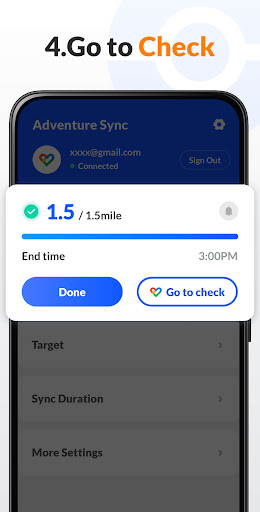
Step 1: Sign in to your Google Fit account
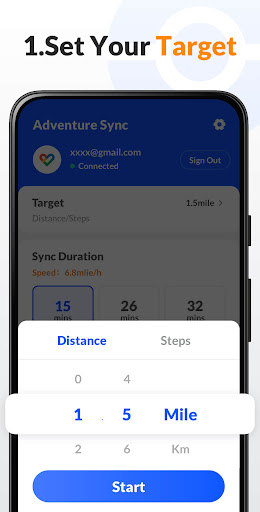
Step 2: Set target distance/steps
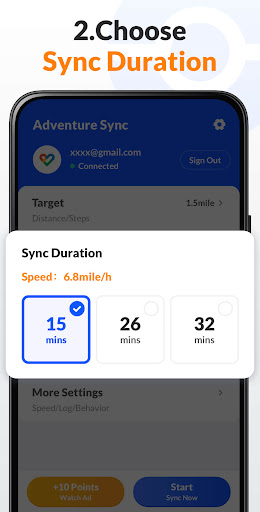
Step 3: Customize sync duration
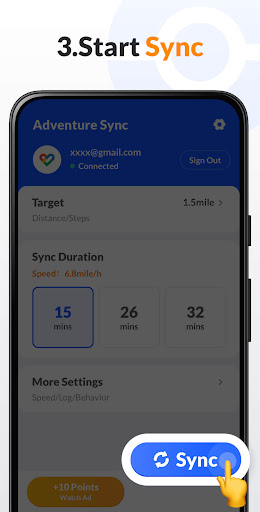
Step 4: Click "Sync Now" to sync data
Disclaimer:
- Adventure Sync strictly abides by the data privacy protection policy and will never use your data for other purposes or leak your data to third parties;
- Adventure Sync is a third - party app and is not affiliated with any fitness database provider (such as Google Fit);
- The sole purpose of Adventure Sync is to sync fitness data, the user takes full responsibilities for any other use of Adventure Sync.
Comments & Discussion
0 Comments
Be the first to comment on Adventure Sync - Pokewalk status
Share your experience with the community