Warning: file_put_contents(/var/www/thisisdown.com/public_html/logs/breadcrumb_debug.log): Failed to open stream: No such file or directory in /home/thisisdown.com/public_html/templates/breadcrumbs.php on line 185
Warning: file_put_contents(/var/www/thisisdown.com/public_html/logs/breadcrumb_debug.log): Failed to open stream: No such file or directory in /home/thisisdown.com/public_html/templates/breadcrumbs.php on line 192
Warning: file_put_contents(/var/www/thisisdown.com/public_html/logs/breadcrumb_debug.log): Failed to open stream: No such file or directory in /home/thisisdown.com/public_html/templates/breadcrumbs.php on line 198
Customer App - Zoho Assist
"Is Customer App - Zoho Assist working?"
Customer App - Zoho Assist is working normally
All systems are operational. Customer App - Zoho Assist is accessible and functioning properly.
Status Chart
This chart displays the hourly status data for over a 24-hour period
Now
24h ago
Operational
Partially working
Major outage
Not working
Recovering
Timeline
A chronological log of system events, performance fluctuations, and user reports. Each entry is tagged with time, status, affected regions, and resolution details for comprehensive tracking and analysis.
Service Status: All systems operational and responding normally
Performance Trend (24h): Service stability is degrading
Community Reports: No issues reported by users in the last 24 hours
Global Availability: Working normally worldwide
What issues are you experiencing?
Please choose the type of issue you're having with the Android app.
Reporting chart
This graph shows problem reports in the last 24 hours compared to typical patterns. The dashed line shows historical baseline when available.
Loading...
Vote statistics being updated...
No votes in the last 24 hours
Chart will appear when users start reporting
Recent reports
Every user report, from every country, visualized in real-time. Reports are displayed in descending chronological order (newest first) to ensure the most recent issues are immediately visible and no problem goes unnoticed.
Get high-quality remote support for your mobile device with the Zoho Assist β Customer app. Technicians can securely access your device to troubleshoot issues in real time. Whether it's remote support or unattended access, the app ensures a smooth support experienceβanytime, anywhere.
Disclaimer:
This app uses the Device Administrator permiss...
Get high-quality remote support for your mobile device with the Zoho Assist β Customer app. Technicians can securely access your device to troubleshoot issues in real time. Whether it's remote support or unattended access, the app ensures a smooth support experienceβanytime, anywhere.
Disclaimer:
This app uses the Device Administrator permission on your device in order to facilitate remote control and screen sharing. Please contact assist@zohomobile.com for further clarification.
To report a scam or suspicious activity, visit our https://www.zoho.com/assist/report-a-scam.html page.
To join a Remote Support session
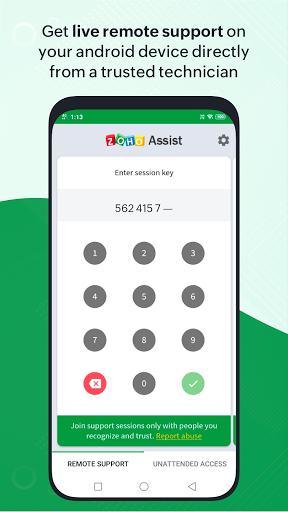
Step 1: Download and install the Zoho Assist β Customer app from the Play Store.
Step 2: Join the session by either opening the invitation link sent by the technician via email, or entering the session key provided by the technician directly in the app.
Step 3: After granting consent, the technician will securely access your device to provide support. You can end the session at any time by simply tapping the back button.
Unattended access
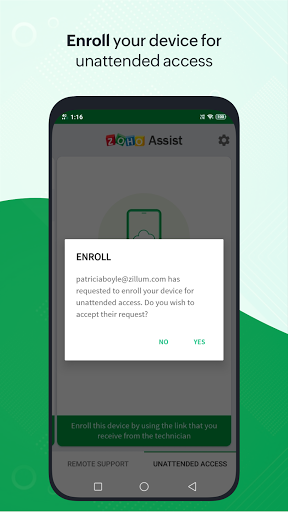
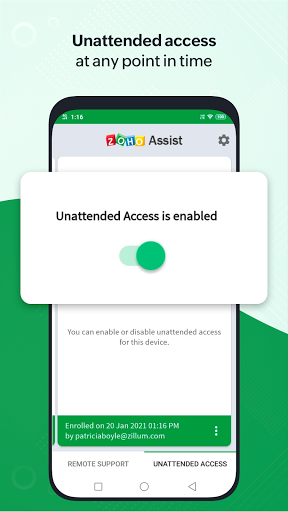
You can easily enroll your Android device for unattended access by your trusted technician at any time. Simply click the deployment link shared by your technician to grant them seamless access without any further action required on your part. You can also enable or disable unattended access whenever needed.
Features
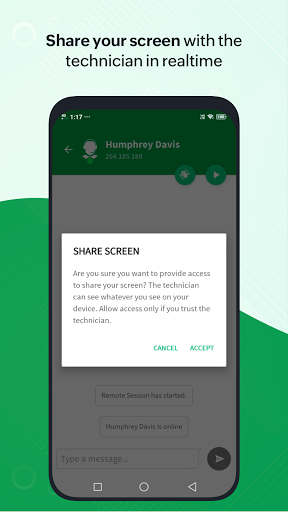
- Share your screen securely with the technician.
- Get remote assistance with full device control.
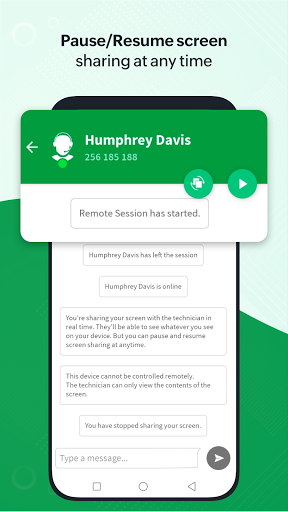
- Pause or resume screen sharing and access anytime.
- Send and receive files in any format during the session.
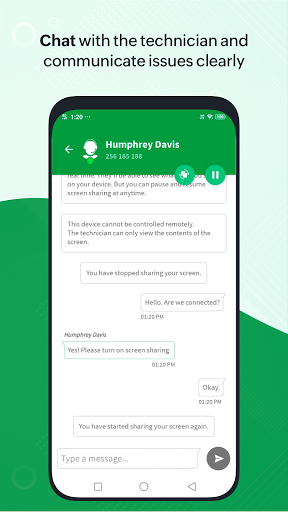
- Chat instantly with the technician within the app.
App Screenshots
User Reviews from Store
Showing 8 of 10 reviews
(Page 1 of 2)
S
Simone Cook
Oct 16, 2025
scam. tried to have me download this to help with a chime dispute. Scam Scam
K
Kristal Stanislawczyk
Oct 15, 2025
beware!! almost got scammed. was on the phone with someone from "google" and they told me to download the app. I entered the number ID they provided, but luckily I caught myself before hitting "accept". Hopefully, I caught it in time....
E
Eileen Silverman
Oct 15, 2025
thank you for your patience
P
Prabhat rana
Oct 15, 2025
op
I
Its Me
Oct 14, 2025
this app is used for fraud! if anyone asks you to download it be sure you know who they are. dont trust anyone claiming to be tech support or billing. Zoho at the end of the day when this happens it makes you look bad. I was fortunate enough to not share to much before I figured out that it's was a scam.
P
P P
Oct 12, 2025
Excellent
P
Punam Sable Chaudhary
Oct 12, 2025
great
L
Lorraine Sandham
Oct 11, 2025
I was talked into downloading the app by a very plausible youngish asian man purporting to be from my bank. I became suspicious and ended the call. I then googled my bank's anti fraud dept and was asked my complaint, name and d.o.b., by another asian man. I did not know the first man had control of my phone. Needless to say I lost over Β£700 today with the help of this bloody app and two nasty, unscrupulous vultures. I don't know how they can sleep at night.
Comments & Discussion
0 Comments
Be the first to comment on Customer App - Zoho Assist status
Comments & Discussion
0 Comments
Be the first to comment on Customer App - Zoho Assist status
Share your experience with the community